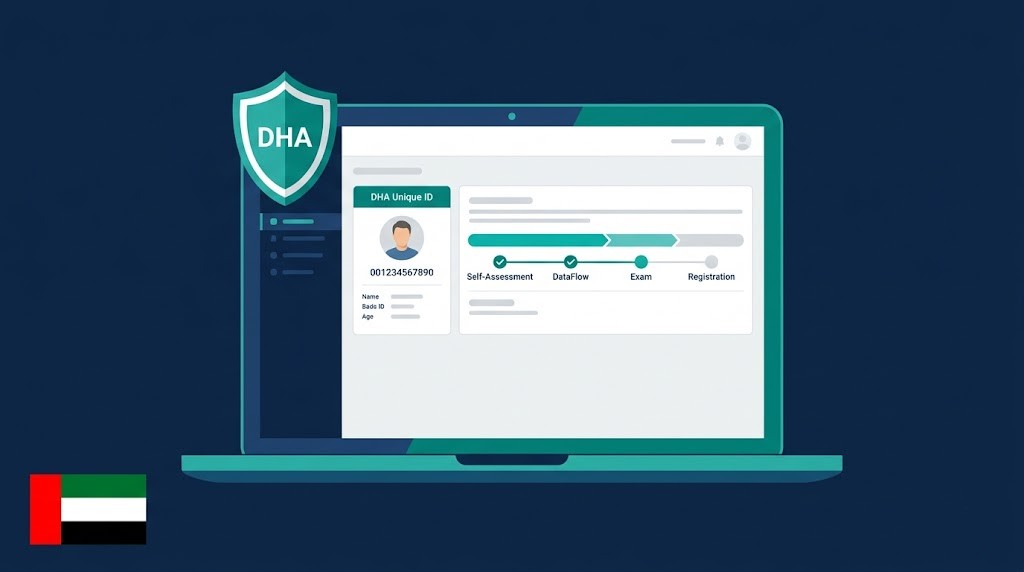
Sheryan is the DHA’s online licensing platform for Dubai healthcare professionals. It’s not a separate login; it sits inside your DHA e-Services account. To apply: create a DHA e-Services account at dha.gov.ae, open Sheryan, run the Self-Assessment Tool, complete DataFlow verification using your DHA Unique ID, book your Prometric exam, then submit for registration. Processing takes approximately 5 working days. Activation into a practicing license is done by your employer, not you.
Most people searching “how to create a Sheryan account” hit their first problem before they’ve even started. Sheryan is not a separate website with its own login. It’s a service you access after signing into your DHA e-Services account at dha.gov.ae. Missing that distinction wastes days.
The Sheryan portal is the Dubai Health Authority’s online licensing and inspection system for healthcare professionals working in Dubai. Every doctor, nurse, pharmacist, dentist, and allied health professional applying for a DHA license in Dubai goes through Sheryan. It covers everything from your initial eligibility check to your final license activation.
This guide walks you through the exact steps, exact menu paths, and exact fees: including the things no other article bothers to explain, like what your DHA Unique ID is and what to do when your application comes back as “Returned.”
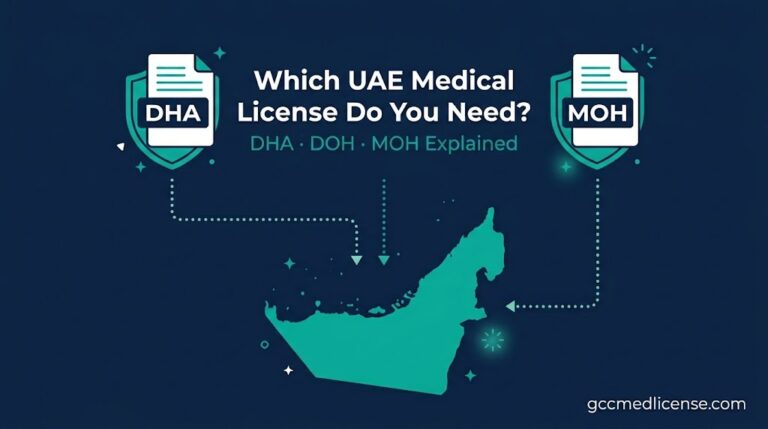
Worth knowing upfront: Sheryan is Dubai-only. If you’re applying for a DOH license in Abu Dhabi or comparing all three UAE authorities, read our DHA vs DOH vs MOH comparison first.
What Is the Sheryan DHA Portal and How Is It Different from a DHA e-Services Account?
Sheryan is a licensing service inside your DHA e-Services account, not a separate login. You register once at dha.gov.ae, then access Sheryan from your dashboard.
To be specific: you have one account at dha.gov.ae. After you log in, you’ll see a dashboard with several service icons. “Health Licensing Service (Sheryan)” is one of those icons. Clicking it takes you into the Sheryan portal, where your actual license application lives.
This matters because a lot of candidates try to find “sheryan.dha.gov.ae” as a standalone site, get confused, and sometimes create duplicate accounts. The DHA Sheryan FAQ page explicitly warns against this. One email address, one account, no exceptions.
Think of it this way: your DHA e-Services account is the front door. Sheryan is the office inside.
How Do You Create a Sheryan Account — Step by Step?

Go to dha.gov.ae, click Register, fill your details exactly as in your passport, verify via SMS OTP, then click the Sheryan icon in your dashboard to enter the portal.
Here’s the exact path through registration:
Step 1: Go to dha.gov.ae and click “Register With Us” Fill in your full name exactly as it appears in your passport. Any mismatch between your DHA account name and your documents (degree certificates, nursing council registration, experience letters) will cause problems later during DataFlow verification.
Step 2: Verify your mobile number and email DHA sends a one-time SMS OTP to your registered mobile. Use a number you have reliable access to. This number becomes your contact channel for all DHA correspondence.
Step 3: Log in and open Sheryan After login, find the “Health Licensing Service (Sheryan)” icon on your dashboard and click through to the Sheryan portal. Bookmark the Sheryan portal home directly for faster access going forward.
Step 4: Navigate to your services Inside Sheryan, the left navigation shows: My Dashboard, Services (Professionals), My Applications, My Profile, and Support. Everything you need is under “Services – Professionals.”
The DHA Sheryan Professional Registration User Guide is the official PDF that walks through this in full. None of the competing guides link to it. Bookmark it.
What Is the DHA Unique ID and Why Does It Matter for DataFlow and Prometric?
Your DHA Unique ID is a permanent number generated in your Sheryan profile under My Profile. DataFlow and Prometric both require this exact ID to link your records to DHA.
Here’s why this is critical: the DHA system does not automatically pull your DataFlow results or your Prometric exam results. You connect them manually using your Unique ID. If you submit a DataFlow application with the wrong ID, or if you book your Prometric exam without it, your results won’t appear inside Sheryan and your registration will stall.
Where to find it: log into Sheryan, click “My Profile” in the left menu. Your Unique ID appears in your profile summary. Copy it exactly and save it somewhere you won’t lose it before contacting either DataFlow or Prometric.
A Filipino ICU nurse we worked with had already completed DataFlow before realising she’d used a placeholder reference number instead of her Sheryan Unique ID. Correcting the link took three weeks and delayed her DHA registration by over a month. It’s a fixable mistake, but a completely avoidable one.
The Sheryan Application Journey: Self-Assessment to Active Registration
Once your account is set up, the journey inside Sheryan follows a fixed sequence. Skipping steps doesn’t save time. It creates rejections.
1. Self-Assessment Tool Go to: Services (Professionals) → Self-Assessment Tool. This is free and instant. It checks your qualification against DHA’s Professional Qualification Requirements (PQR) and tells you whether you’re eligible to proceed. Run this before paying for anything.
2. Get Registered — Document Verification Go to: Services (Professionals) → Get Registered. Fee: 220 AED. Processing: approximately 5 working days. This is where you upload your documents and trigger DataFlow primary source verification. Inside “Get Registered,” click “Document Verification” then “Go to DataFlow” to start your PSV application. DataFlow typically takes 4–12 weeks. That’s the step that defines your overall timeline.
3. Verifications and CBT Assessment Go to: My Applications → Verifications & CBT Assessments. Once DataFlow clears, DHA generates your eligibility number for Prometric. You book and pay for your exam directly on the Prometric website using your DHA Unique ID. Not every profession or pathway requires the Prometric exam. The DHA Self-Assessment Tool will tell you if yours does.
4. Active Registration (Eligibility Letter) Once DataFlow verification passes and your exam result (if required) appears in Sheryan, DHA reviews your “Get Registered” application. Approval generates your Active Registration: a 12-month eligibility letter. This is not your license. You cannot start working yet.
Setup
Assessment
& Exam
& License
What Does "Returned" Mean in Sheryan — and How Do You Fix It?
"Returned" means DHA sent your application back for corrections: wrong document or mismatched details. Log into Sheryan, fix the flagged item, and resubmit within 30 days.
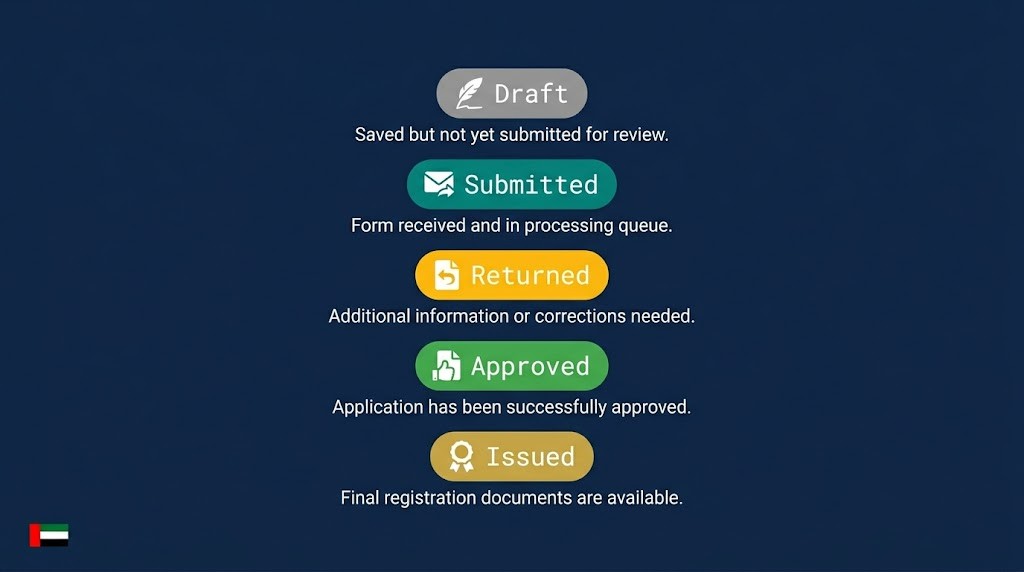
The five status codes you'll see in Sheryan, and what each one means:
- Draft: you've started but not submitted the application yet.
- Submitted: DHA has received your application and is reviewing it.
- Returned: DHA flagged an issue and sent it back to you. Check your registered email for the reason.
- Approved: your application passed DHA review. Active Registration letter is being generated.
- Issued: your eligibility letter or license has been formally issued and is viewable in Sheryan.
The most common reasons for "Returned": name mismatch between passport and documents, an experience letter that doesn't specify job duties clearly, or a document uploaded in the wrong format. Fix the exact item flagged, reupload in Sheryan, and resubmit. You have 30 days before the application closes automatically. If you're unsure what DHA flagged, contact their 24/7 support on 800-342 or use the live chat on dha.gov.ae.
What Is the Difference Between Active Registration and an Active License in Sheryan?
Active Registration is a 12-month eligibility letter — it means DHA approved your credentials. An Active License is issued separately when your employer activates it in Sheryan.
This confuses almost every first-time applicant. Your Active Registration means DHA has verified that you are qualified to hold a DHA license. But you are not yet licensed to practice. You cannot see patients, dispense medication, or perform clinical work.
Your employer — a DHA-licensed facility — activates your license through a separate Sheryan service called "Activate Professional License." It is a facility-side service, not something you can trigger yourself.
Activation fees are specific by profession. Doctors and dentists: approximately 3,020 AED. Nurses and allied health professionals: approximately 1,020 AED. Part-time license activation: approximately 4,020 AED, with up to 5 working days additional review if documents are requested.
The 12-month clock on your Active Registration starts from the date of issue. If your employer hasn't activated your license within 12 months, your registration expires and you restart the process. If you need help managing the full DHA license application process from DataFlow through to activation, that's exactly what our team handles.
Nurses and Pharmacists: What the Sheryan Process Looks Like for You
Most Sheryan guides are written with doctors in mind. The portal flow is the same, but the specifics differ by profession and home-country council.
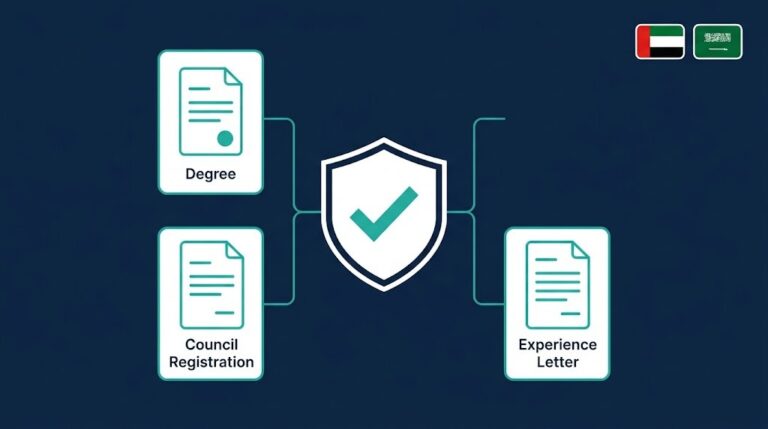
For nurses: DataFlow verifies your nursing degree, your home-country council registration, and your experience letters. The councils DHA recognises include the NMC (UK), PRC (Philippines), INC (India), and PMC (Pakistan). Your good standing letter must come from your active council registration, not from your employer.
Indian and Pakistani-trained nurses often hit delays because their experience letters don't specify clinical duties clearly enough for DataFlow's verification standard. The letter needs to state: your job title, department, exact employment dates, and primary clinical responsibilities. A general "employment confirmation" letter won't pass.
Filipino nurses registered with the PRC should note that DHA requires your PRC-issued Certificate of Registration and a current Professional Identification Card. Both must be valid at the time of DataFlow submission.
For pharmacists: DataFlow verifies your pharmacy degree, your home-country pharmacy council registration (PCI for India, PSAU for Pakistan, PRC for Philippines), and your experience letters. DHA requires a minimum of 2 years post-graduation experience for most clinical pharmacy roles.
The Prometric CBT exam requirement for pharmacists depends on your specialty classification under DHA's Professional Qualification Requirements. Run the Self-Assessment Tool first before assuming you need or don't need the exam.
For both professions: your employer handles license activation at the facility level inside Sheryan. Your role ends at Active Registration. Our DataFlow verification service covers profession-specific document preparation and follows up weekly with your home-country institutions to keep things moving.
7 Sheryan Myths That Confuse Healthcare Professionals
These are the most common misconceptions. Each one has delayed real applications.
Myth 1: "Sheryan is a separate website with its own login." Fact: Sheryan is a service inside your DHA e-Services account at dha.gov.ae. One login. One account.
Myth 2: "I can book my Prometric exam before setting up Sheryan." Fact: Your DHA Unique ID and eligibility number are both generated inside Sheryan. Without them, Prometric cannot link your exam result back to DHA.
Myth 3: "Completing DataFlow means my DHA license is approved." Fact: DataFlow is only document verification. DHA still reviews your "Get Registered" application separately and may return or reject it.
Myth 4: "I can create a second Sheryan account if I forgot my login." Fact: DHA permits one account per email address. Multiple accounts cause complications DHA does not resolve quickly. Use the password reset function or call 800-342.
Myth 5: "Sheryan works for Abu Dhabi and the Northern Emirates too." Fact: Sheryan is Dubai Health Authority only. DOH Abu Dhabi uses its own system. MOH covers the Northern Emirates separately. They are not connected. See our DHA vs DOH vs MOH guide for the full breakdown.
Myth 6: "My Active Registration means I can start practicing." Fact: Active Registration is an eligibility letter. Your employer must activate your license through Sheryan before you can practice clinically.
Myth 7: "Once I pass Prometric, DHA will contact me." Fact: DHA won't chase you. You track your application status in Sheryan under My Applications. "Submitted" means they're reviewing it. "Returned" means action is needed from you.
What to Do Next
The Sheryan portal itself is not complicated once you understand the structure. The problems happen when candidates skip steps, use the wrong IDs, or misread their application status. Most delays we see are fixable. They just cost time.
If you want a second set of eyes before you submit anything, or you'd rather have us run the DataFlow process, manage the exam registration, and monitor your application status for you, message us on WhatsApp. We assess your eligibility for free, with no obligation. Our license application service covers everything from document preparation through to Active Registration.
Frequently Asked Questions
Q: What is the Sheryan DHA portal and why do I need it for a Dubai license?
A: Sheryan is the Dubai Health Authority's online licensing platform for healthcare professionals. Every doctor, nurse, pharmacist, dentist, and allied health professional applying for a DHA license in Dubai uses Sheryan to submit their application, track verification, and receive their eligibility letter. Without a Sheryan account, you cannot start the DHA licensing process.
Q: How long does the "Get Registered" application in Sheryan take to process?
A: DHA processes the "Get Registered" application in approximately 5 working days once all documents are submitted. However, the DataFlow primary source verification that runs alongside it typically takes 4–12 weeks — that's the step that governs your overall timeline, not the portal itself.
Q: Can I apply for a DHA license without a job offer in the UAE?
A: Yes. You can complete the full Sheryan process — self-assessment, DataFlow, Prometric exam, and Active Registration — before you have a job offer. Your Active Registration is valid for 12 months, giving your employer time to activate your license once you secure a position.
Q: What should I do if I've forgotten my Sheryan login credentials?
A: Use the password reset function on the DHA e-Services login page at dha.gov.ae. Do not create a new account — DHA flags duplicate accounts and they cause delays that are difficult to resolve. If the reset doesn't work, contact DHA support on 800-342, available 24/7.
Q: Is Sheryan the same system used for DOH Abu Dhabi or MOH Northern Emirates licensing?
A: No. Sheryan is exclusively the Dubai Health Authority system. DOH Abu Dhabi and MOH for the Northern Emirates each have their own separate portals and processes. If you're unsure which license you need, our DHA vs DOH vs MOH comparison explains the difference clearly.